
cropper
update

[Company Name]

Agility Engineers
update
  • Home
  • Categories
    • SAFe
    • Agile
    • DevOps
    • Product Management
    • LeSS
    • Scaling Frameworks
    • Scrum Masters
    • Product Owners
    • Developers
    • Testing
    • Agile Roles
    • Agile Testing
    • SRE
    • OKRs
    • Agile Coaching
    • OCM
    • Transformations
    • Agile Training
    • Cultural Foundations
    • Case Studies
    • Metrics That Matter
    • Agile-DevOps Synergy
    • Leadership Spotlights
    • Team Playbooks
    • Agile - vs - Traditional
Welcome To Our Blog!
Click Subscribe To Get Access To The Industries Latest Tips, Trends And Special Offers.
  • All Posts
  • Agile Training
  • SAFe
  • Agile
  • DevOps
  • Product Management
  • Agile Roles
  • Agile Testing
  • SRE
  • OKRs
  • Agile Coaching
  • OCM
  • Transformations
  • Testing
  • Developers
  • Product Owners
  • Scrum Masters
  • Scaling Frameworks
  • LeSS
  • Cultural Foundations
  • Case Studies
  • Metrics That Matter
  • Agile-DevOps Synergy
  • Leadership Spotlights
  • Team Playbooks
  • Agile - vs - Traditional
July 09.2025
2 Minutes Read

Stop Mistaking Storage for Strategy: Unveiling Knowledge Management's Importance

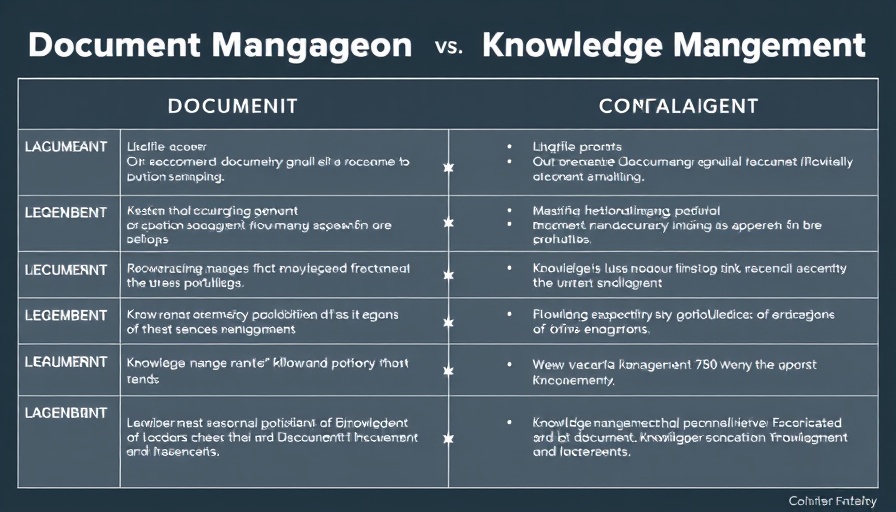
Comparison chart of knowledge management vs document management.

The Unsustainable Cost of Misunderstanding Knowledge Management

In today's fast-paced global economy, organizations are losing a staggering 2.4 billion hours annually just searching for information—a clear indication that the processes in place for managing knowledge are severely flawed. This is particularly evident in Fortune 500 companies, where the confusion between document management and knowledge management has become not just inconvenient but costly.

Understanding the Distinction: Document Management vs. Knowledge Management

It's crucial to recognize the difference between these two concepts. Document management involves managing structured, secure content like contracts, HR policies, and product documentation. It ensures that files are organized, accessible, and version-controlled. However, this is merely the foundation of a comprehensive knowledge management strategy.

Knowledge management, on the other hand, is concerned with the fluid, often intangible insights and informal data that shape team dynamics and project outcomes. This includes discussions from meetings, brainstorming notes, or shared advice on platforms like Slack. These elements, while not usually captured in formal documents, are the real driving force behind effective collaboration and problem-solving.

The Risks of Neglecting Knowledge Management

The oversight of treating document management as a catch-all for knowledge management can lead to inefficiency. For example, with 56% of team members still needing to reach out to colleagues for crucial information, the potential for duplicated efforts is enormous. This practice not only wastes time but also undermines confidence in project alignment. The consequence is a disconnect between available content and the actual needs of teams.

Action Steps for Organizations

To remedy this confusion, organizations should adopt a more nuanced approach to knowledge management. Emphasizing the importance of informal knowledge sharing and encouraging practices that go beyond file storage can foster a culture of collaboration. Regularly scheduled brainstorming sessions, integration of tools that facilitate easy information sharing, and fostering an environment where employees feel comfortable sharing insights can significantly improve overall productivity.

In conclusion, companies aiming for operational excellence must clearly distinguish between managing documents and managing knowledge. By investing in both areas, businesses can ensure every team member has access to the information they need, reducing wasted hours and enhancing collaboration.

Team Playbooks

71 Views

0 Comments

Write A Comment

*
*
Please complete the captcha to submit your comment.
Related Posts All Posts
06.20.2026

Discover How AI Teammates on Jira Transform Your Agile Workflow

Update The Future of Collaboration: AI Teammates in Jira As companies continually adapt to rapidly evolving technologies, the integration of AI into daily workflows has become a prevailing trend. Atlassian's latest advancements in Jira reveal a significant shift in how teams collaborate, as AI is no longer seen solely as a tool but as a teammate actively participating in project management. Bridging the Orchestration Gap The orchestration problem has long hindered teams from maximizing the benefits of AI. Traditionally, AI tools required manual integration, creating bottlenecks in productivity. However, with Jira's new approach, AI "agents" are embedded directly into the workspace. Unlike previous iterations where AI operated in isolation, these agents can take on tasks autonomously while remaining visible and accountable within team workflows. Core Capabilities of AI Agents in Jira The integration of AI agents focuses on four fundamental capabilities: assignment, mentions, integration with third-party platforms, and scalable automation. First, agents can now be assigned tasks like any human teammate, providing transparency in project responsibilities. Team members can also mention agents directly in communication threads, which allows AI to consider the context and respond in real-time, dissolving the need for cumbersome context switching. Moreover, Jira's framework now accommodates third-party agent integration, further enhancing versatility and functionality. Transforming Agile Workflows This innovation is particularly significant for teams operating within Agile frameworks. The Agile Playbook emphasizes efficiency, adaptability, and collaboration—principles enhanced by these AI features. Teams can now respond faster to shifting project demands, maintain clarity on task ownership, and access real-time insights, ultimately leading to better project outcomes. Future Predictions: Seamless Human-Agent Collaboration Looking ahead, the trend of AI integration will only deepen. As machine learning and AI capabilities continue to improve, teams will increasingly rely on these virtual colleagues to enhance productivity. The promise of a future where human and AI interplay seamlessly is not merely speculative; many organizations are already witnessing tangible benefits from these AI-driven workflows. In conclusion, Atlassian's introduction of AI agents in Jira represents a significant milestone in collaborative project management. By enabling machines to participate as teammates, companies can streamline their processes, reduce manual overhead, and focus on what truly matters: delivering exceptional results.

06.19.2026

Unlock Real-Time Code Tracking: Discover Deployment Status for Your PRs

Update Streamlining Code Visibility: The Need of the Hour In today's fast-paced development environment, the ability to track deployment statuses directly within your pull request (PR) list is invaluable. Developers often face the challenge of switching between multiple tools just to confirm where their code has been deployed. Atlassian's introduction of Deployment Status Tracking aims to eliminate this time-consuming task by offering real-time visibility right in the PR interface. Why Deployment Tracking Matters Effective management of deployment statuses can save teams significant effort and enhance productivity. With live tracking features, developers can quickly identify which code is live in staging or production environments without leaving the PR list view. This streamlining of information not only helps in reducing manual checks but also accelerates incident resolution—critical in fast-moving Agile teams that prioritize swift response times. Deployment Features That Enhance Workflow The Deployment Status feature brings a dynamic column to the PR list, clearly indicating which environments (like staging or production) each commit is deployed to. The interface is designed to display essential states such as Failed, Stopped, In Progress, and Successful, allowing developers to act quickly based on up-to-date information. Coupled with smart notifications that bubble critical alerts to the forefront, teams can ensure they stay ahead of potential issues during deployments. Maximizing Operational Efficiency Adopting this new beta feature can significantly enhance team efficiency and collaboration. When developers no longer need to hunt down deployment statuses or sift through logs, they can focus on what truly matters—writing quality code. As this feature integrates with existing Bitbucket pipelines, teams already invested in Atlassian tools can seamlessly implement these updates to improve their workflows. What Lies Ahead As Atlassian continues to evolve its platform, we can expect enhancements that expand deployment visibility even further. Future updates may integrate deeper levels of commit tracking and expand support to more areas in Bitbucket. Teams are encouraged to provide feedback on these features, as user insights will guide Atlassian in their prioritization of future developments. Understanding deployment statuses and making swift, informed decisions is vital in today’s development landscape. For teams embedded in an Agile methodology, staying updated can lead to improved responsiveness and a more cohesive release strategy. By utilizing the Deployment Status Tracking, developers can focus on accelerating their builds, ultimately delivering superior software more efficiently.

06.17.2026

Atlassian's DESIGN.md: How It Transforms AI in Your Design Process

Update The Rise of AI Design Solutions: Introducing Atlassian's DESIGN.md As the evolution of artificial intelligence continues to shape the design landscape, Atlassian is taking significant steps to ensure that AI-generated user interfaces reflect distinct brand identities. Recent insights reveal a pervasive issue within AI design: the tendency to produce generic interfaces characterized by gradient buttons and uniform layouts, often dubbed as "slop" by the design community. Without adequate context about a brand's unique components, AI models default to average outputs, resulting in visually indistinguishable designs. Understanding the Power of DESIGN.md In response to this challenge, Atlassian has unveiled DESIGN.md—a portable Markdown file format that encapsulates essential elements of a design system. The elegance of DESIGN.md lies in its dual format: a machine-readable section listing design tokens, paired with a human-readable narrative outlining foundational design aspects such as colors and layout. Although it offers a lighter alternative for designers to communicate their intent, it doesn’t replace in-depth technical specifications or code libraries. Real-World Testing: Results from Team’26 During the recent Team’26 event in Anaheim, Atlassian conducted an intriguing test by integrating DESIGN.md with Figma Make to generate user dashboards. Results indicated that while DESIGN.md improved recognizability in design outputs, it performed less efficiently than the company’s existing systems. For instance, employing DESIGN.md alone required significantly more AI tokens and led to slower outputs, suggesting a trade-off between simplicity and efficiency. The Benefits and Limitations of DESIGN.md Despite its limitations, the DESIGN.md format shines in specific use cases—particularly for high-level artistic direction and quick prototyping when substantial design resources are unavailable. Its primary value may lie in environments where existing design systems cannot be leveraged, allowing for a seamless integration of branding and user experience without heavy technical dependencies. Conclusion: Embracing the Future with Open Standards Atlassian encourages designers and teams to explore the DESIGN.md format, sharing their experiences to foster an open dialogue within the industry. As the demand for intuitive, brand-aligned AI designs grows, embracing adaptable standards like DESIGN.md could pave the way for addressing the challenges of modern design in a more efficient and impactful manner.

Terms of Service

Privacy Policy

Core Modal Title

Sorry, no results found

You Might Find These Articles Interesting

T
Please Check Your Email
We Will Be Following Up Shortly
*
*
*