Add Row
Add Element
cropper
update

[Company Name]

Agility Engineers
update
Add Element
  • Home
  • Categories
    • SAFe
    • Agile
    • DevOps
    • Product Management
    • LeSS
    • Scaling Frameworks
    • Scrum Masters
    • Product Owners
    • Developers
    • Testing
    • Agile Roles
    • Agile Testing
    • SRE
    • OKRs
    • Agile Coaching
    • OCM
    • Transformations
    • Agile Training
    • Cultural Foundations
    • Case Studies
    • Metrics That Matter
    • Agile-DevOps Synergy
    • Leadership Spotlights
    • Team Playbooks
    • Agile - vs - Traditional
Welcome To Our Blog!
Click Subscribe To Get Access To The Industries Latest Tips, Trends And Special Offers.
  • All Posts
  • Agile Training
  • SAFe
  • Agile
  • DevOps
  • Product Management
  • Agile Roles
  • Agile Testing
  • SRE
  • OKRs
  • Agile Coaching
  • OCM
  • Transformations
  • Testing
  • Developers
  • Product Owners
  • Scrum Masters
  • Scaling Frameworks
  • LeSS
  • Cultural Foundations
  • Case Studies
  • Metrics That Matter
  • Agile-DevOps Synergy
  • Leadership Spotlights
  • Team Playbooks
  • Agile - vs - Traditional
March 06.2025
2 Minutes Read

Discover How to Sign Commits With SSH Keys in Bitbucket!

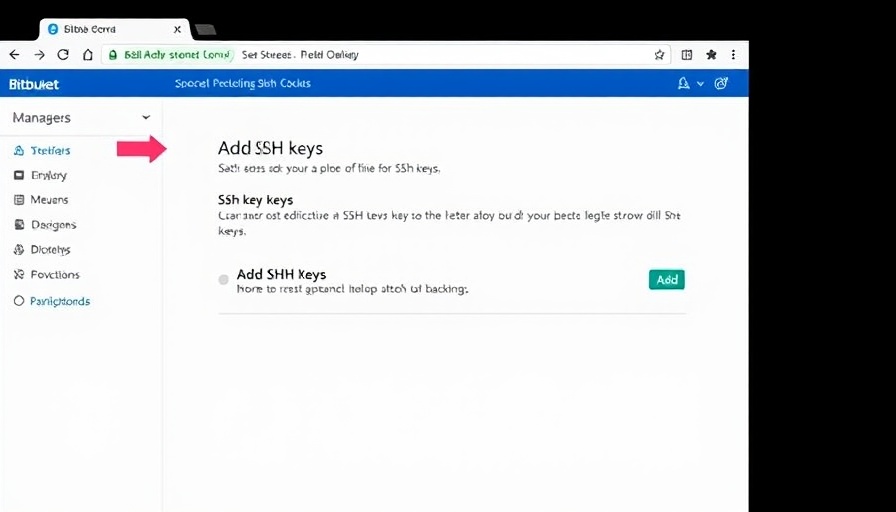
Sign Commits with SSH Keys webpage interface for SSH management.

Unlocking the Power of Signed Commits with SSH Keys

In a significant move to enhance security protocols, Bitbucket Cloud has now introduced the ability to sign commits using SSH keys. This new feature allows developers to authenticate the integrity of their contributions more robustly, fostering trust in collaborative coding environments where authenticity is paramount.

Why Signed Commits Matter

Signed commits act as a secure stamp, verifying each change in a repository. This capability is especially crucial for organizations that prioritize compliance and security. With SSH keys, the verification process becomes even more streamlined, ensuring that every developer’s contributions can be traced back to them without ambiguity.

A Step-By-Step Guide to Get Started

Getting set up with signed commits is an easy process:

  • Navigate to your Personal Bitbucket settings to configure your SSH keys.
  • Add the SSH key related to your Bitbucket account, allowing it to sign your commits.
  • Once configured, ensure each commit is signed using the newly set key. Bitbucket will then validate this signature and display a 'Verified' status for authenticated contributions.

Furthermore, a handy feature allows users to set an expiration date for SSH keys, offering an additional layer of security.

Advancing Repository Control and Security

For repository admins, enforcing signed commits becomes an essential step towards maintaining repository integrity. This feature allows setting consistent security policies, making it dramatically easier to safeguard against unauthorized changes. In a rapidly evolving coding landscape, ensuring that commits are signed is an effective method to mitigate vulnerabilities that can arise from unsigned contributions.

The Road Ahead: Future Enhancements

As Bitbucket continues to innovate, look forward to more features that will improve how developers interact with the platform. Upcoming updates promise to incorporate system-signed commits and extend functionalities, like handling merges and UI-driven commits, thus further strengthening the structure of collaborative coding.

Your organization relies on robust and secure code management. By embracing signed commits, you can elevate security, promote transparency, and ensure comprehensive traceability across your projects. Isn't it time you strengthened your development workflows with this essential feature?

Team Playbooks

82 Views

0 Comments

Write A Comment

*
*
Related Posts All Posts
02.06.2026

Discover How Atlassian Rovo MCP Server Transforms Agile Workflows

Update Atlassian Rovo MCP Server: A Game Changer for Agile TeamsFebruary 4, 2026, marked a significant milestone in the realm of Agile project management as Atlassian announced the general availability of its Rovo Model Context Protocol (MCP) Server. This innovative tool aims to streamline the integration of artificial intelligence (AI) within popular products like Jira and Confluence, allowing teams to work more efficiently without the constant back-and-forth between applications.As organizations rapidly adopt AI-driven solutions to enhance their workflows, the Rovo MCP Server ensures that users can access AI capabilities directly where they work. From AWS and ChatGPT to Docker and GitHub, multiple AI clients can connect seamlessly with Atlassian's services. This integration promises to reduce context-switching, an issue that can hamper productivity in fast-paced environments.The Benefits of Seamless AI IntegrationOne of the standout features of the Rovo MCP Server is its ability to perform rich, semantic searches through Jira and Confluence. Users can inquire about specific project details—such as “find the latest incident postmortem”—and receive precise information without leaving their chosen AI platform. Additionally, creating and updating Confluence pages or managing Jira tasks can be accomplished directly through conversational prompts, further preserving the flow of work.Enterprise-Ready, With Security at Its CoreDesigned with enterprise customers in mind, the Rovo MCP Server inherits all the security and permissions features that are native to the Atlassian Cloud. This means companies can rest assured knowing that their data remains secure while harnessing the power of AI. With usage logs and administrative controls, teams can monitor how AI interacts with their data, making compliance and governance straightforward.Conclusion: The Future is Agile and AI-DrivenAs UI experiences evolve, the introduction of the Rovo MCP Server represents a leap forward for Agile teams. By integrating AI into the core of project management tools, Atlassian not only enhances workflow efficiency but also fortifies its position as a leader in the Agile transformation space. As teams become more sophisticated in their AI usage, the Rovo MCP promises to be an essential tool on their journey to Agile excellence.

02.05.2026

Unlock Team Potential: Combat Constant Miscommunication with Effective Channels

Update Understanding the Cost of MiscommunicationIn today’s fast-paced work environment, miscommunication is more than just a nuisance; it represents a significant drain on productivity and morale. Recent studies reveal that miscommunication costs American companies an astonishing $203 billion annually, a figure that reflects not just lost hours, but also eroded trust and increased anxiety among teams. Indeed, 80% of workers have invested time on tasks that turned out to be unnecessary due to misunderstandings, highlighting the need for effective communication strategies within the workplace.Rethinking Communication ChannelsThe tools we use for communication play a pivotal role in how messages are perceived. Email and chat, often relied upon for their speed and accessibility, rank as the most misunderstood methods of communication. Surprisingly, while many employees identify these channels as problematic, a mere 31% have turned to asynchronous video—a medium with clear advantages—despite 70% indicating that a video message could enhance clarity. A shift towards utilizing diverse communication methods could pivotal in resolving the downsides of traditional channels.Culture Shift through Better UnderstandingUltimately, the effect of miscommunication extends beyond productivity losses; it reshapes workplace culture. A staggering 82% of employees acknowledge that misunderstandings contribute to damaged relationships, escalation to management, or even the loss of clients. With over a quarter of employees having considered quitting due to miscommunications, it’s clear that organizations must commit to fostering an environment where clarity and understanding reign supreme. Introducing techniques such as clear guidelines for communication practices and regularly scheduled check-ins can mitigate the risks of misunderstandings and enhance overall team cohesion.

02.01.2026

6 Async Practices to Uncover Insights and Boost Team Productivity

Update Unlocking Team Insights: The Power of Async Practices In today's fast-paced work environment, knowledge workers are inundated with information yet often find themselves unable to access relevant insights when they are needed the most. A report from Atlassian reveals that Fortune 500 companies waste an astounding 2.4 billion hours annually just searching for information. This indicates a severe lack of visibility into prior research, project histories, and valuable insights that could streamline workflows and enhance decision-making. Async Practices to Enhance Collaboration Adopting deliberate asynchronous practices can be a game-changer for teams looking to unearth buried insights. Here are several strategies that can catalyze better collaboration: Write Before You Meet: Encourage team members to articulate their ideas in writing prior to meetings. This practice avoids biases that arise in real-time discussions, promoting clearer thought and more thoughtful contributions from all participants. Design for Time-Delayed Contribution: Implement structured response windows to ensure everyone can contribute, leveling the playing field for insights regardless of time zones or individual response speeds. Intentionally Invite Disagreement: Foster an environment where team members feel comfortable voicing differing opinions. Creating spaces for constructive dissent can unearth critical insights that might otherwise remain obscured. Separate Idea Generation from Evaluation: Distinguish between brainstorming new ideas and assessing them. This allows creativity to flourish without immediate judgment, leading to a wider array of potential solutions. Surface Summaries: Consistently recap discussions and decisions. Summaries act as a valuable resource for future teams, preventing redundant efforts and reinforcing the existing knowledge base. Create Dedicated Async Thinking Spaces: Establish channels or documents where team members can share thoughts or questions as they arise, ensuring that valuable ideas are captured before they vanish. Leveraging AI to Maximize Async Benefits Artificial Intelligence (AI) can be an empowering ally in executing these async practices more effectively. Tools like AI-based notetakers can automate the summarization process after discussions and ensure all are aligned on key decisions. Moreover, AI can help analyze patterns in team contributions to surface insights that might have gone unnoticed. For instance, AI can organize inputs by themes and flag unique perspectives that differ significantly from the majority. Conclusion: Moving Towards Better Decision Making As teams embrace these async practices, they not only enhance the visibility of crucial insights but also streamline their processes. By integrating AI tools effectively, organizations can turn the challenge of information overload into an opportunity for growth and innovation. The bottom line is simple: thoughtful async collaboration can transform how teams function, allowing them to do more with less, and ultimately leading to more informed, quicker decisions.

Terms of Service

Privacy Policy

Core Modal Title

Sorry, no results found

You Might Find These Articles Interesting

T
Please Check Your Email
We Will Be Following Up Shortly
*
*
*